Mike Jacobi

mikerjacobi@gmail.com
Machine Learning Engineer, Charmed AI
Resume PDF * LinkedIn
Journal App
A description of how my journaling app works. tldr, I text a journal entry to a Twilio number, which POSTs it to a Lambda function and writes it to a DynamoDB table.
I’ve been journaling daily for a couple years now. I started because I was frustrated that I couldn’t remember basic details, like what I had for dinner last week, or who I hung out with a month ago. So I made a project of it and I’ve landed on a system that’s been effective for me. I’m writing this now because I recently refactored the project to be cheaper, more persistent, and simpler.
The first design ran a Go application on an EC2 instance and stored entries in an RDS MySQL table. That method is fairly expensive - the host is about $10/month and the database is about $15/month. I did use the same EC2 instance for other work so the cost was shared a bit, but I was always worried I would mess up the environment and accidentally take down the journal app. So I refactored it to run on Lambda and DynamoDB, which both have a pay per use model, which works out to pennies a month for me and is less likely to go down because of user error.
Journal entries begin as text messages. I like this because I can text from my phone when I’m on the go, or use iMessage from my laptop if I’m at home. The recipient is a number I configured in Twilio. Twilio has a generous free tier that lets you configure a webhook to forward the text message along to a server.
The server, in this case, is a Lambda function running a small Go application. It has a handler that listens for these Twilio webhooks and validates that the message contains a text message body. Then it connects to DynamoDB and inserts the message. The table itself is dead simple, just a primary key, the entry, and a timestamp. DynamoDB is nice for a few reasons It’s pay per use, so cheap in this case It is always on, so there’s no cold start, like there is with serverless RDS It has a nice query interface
The query interface is what makes this new version much more functional than the original one. Originally, reading the journal meant querying MySQL. Now I can use the DynamoDB interface. Each journal entry has a timestamp so I can search for entries with date ranges. I can also issue ‘entry contains
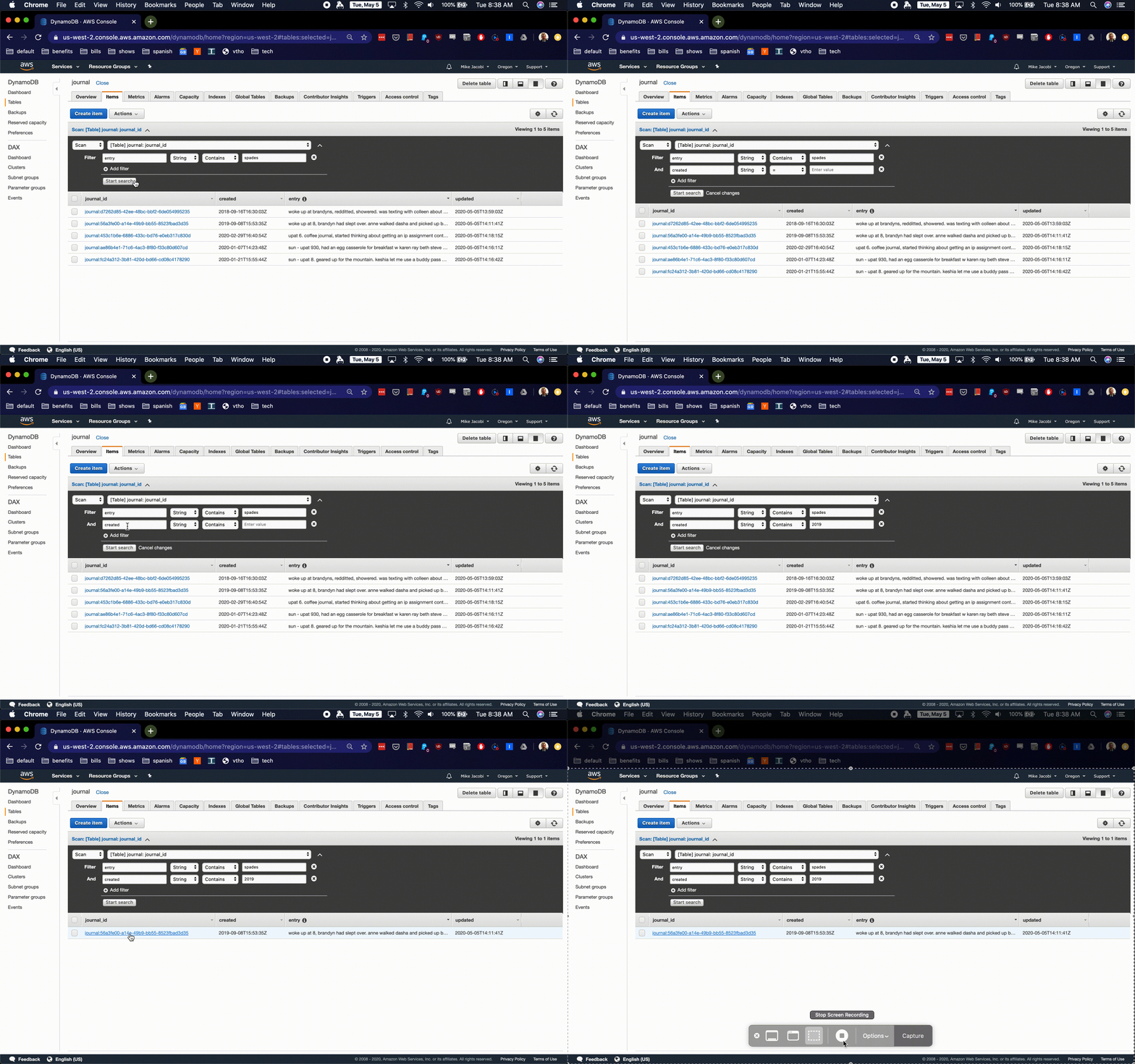
The infrastructure surrounding this project is nice too. I have a dev version of the whole app running on my sandbox. It uses docker swarm to spin up a local DynamoDB instance and runs the Go application in a container. I built a small test suite that exercises the local app containers to make sure application logic is alright. Additionally, I have the database and Lambdas defined in a serverless.yaml configuration file, which generates CloudFormation templates. I’m using a Makefile to record the serverless commands to deploy the database and the functions, so deploying changes to this app is as simple as running “make deploydynamo” and “make deploylamdas”.
Overall, this project does exactly what I need it to, and it’s cheap and durable.